

If you’ve been following modern software trends, you’ve likely heard the term “serverless architecture” thrown around. Despite the name, servers are still very much involved — you just don’t have to manage them. This guide breaks down serverless architecture in plain language, explaining what it is, how it works, and why it’s reshaping the way teams build and deploy applications.
Whether you’re a curious beginner or an IT administrator evaluating your next platform, understanding serverless architecture can help you cut costs, scale effortlessly, and focus on code instead of infrastructure. Let’s dive in.
Introduction
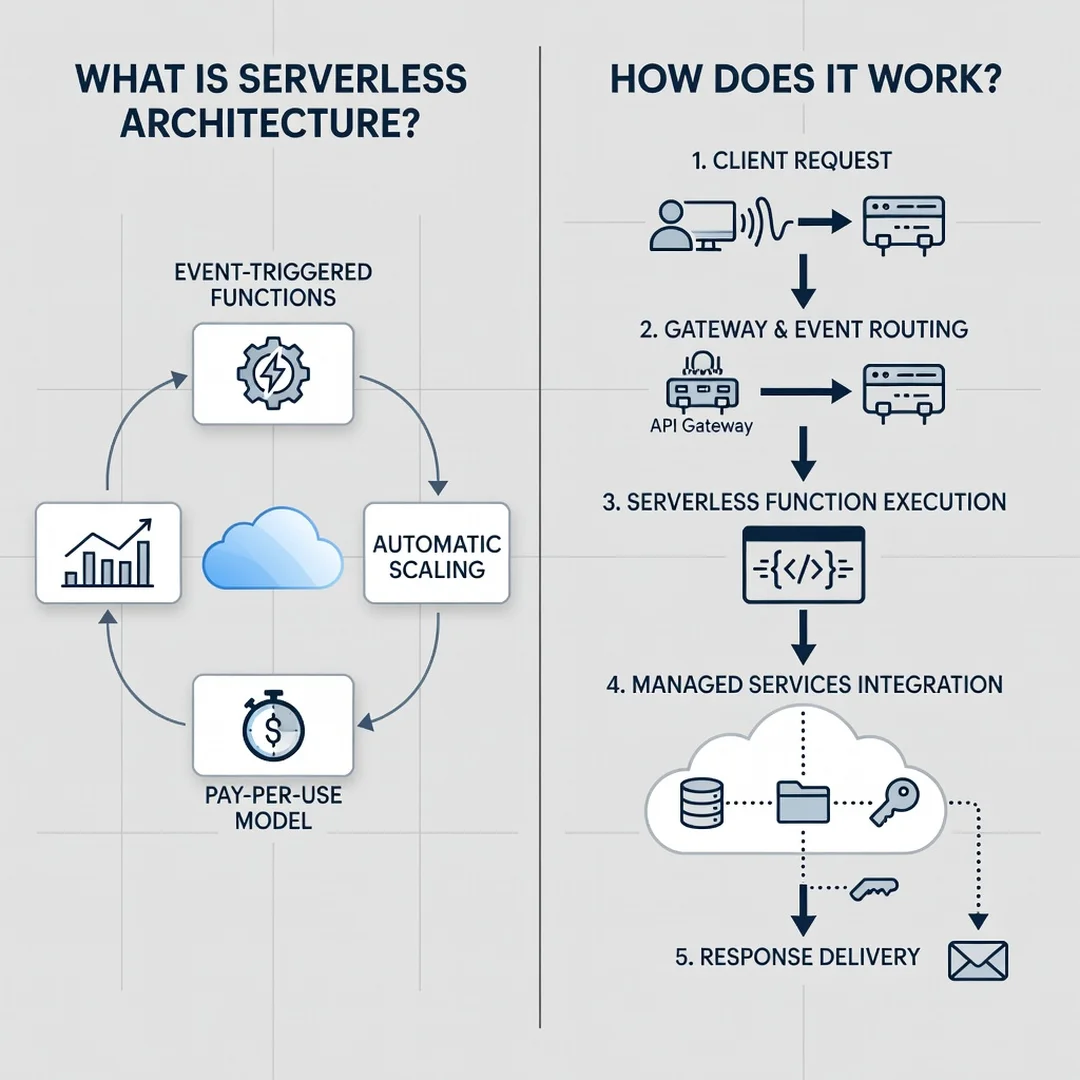
Serverless architecture is a cloud computing execution model where the cloud provider dynamically manages the allocation of machine resources. Despite the name, servers are still involved — they are simply abstracted away from the developer and the operations team. If you have ever deployed a function to AWS Lambda, Azure Functions, or Google Cloud Functions, you have already used serverless computing. For beginners, think of it as renting a taxi rather than buying a car: you pay only for the ride, not for the vehicle sitting idle in your driveway. For IT administrators, serverless shifts the operational burden of patching, scaling, and capacity planning to the cloud vendor, but it also introduces new concerns around cold starts, vendor lock-in, and observability.
This guide covers What Is Serverless Architecture and How Does It Work in practical, step-by-step detail. You will learn the core concepts, how the underlying mechanics operate, and how to adopt serverless in a way that respects your existing infrastructure. We will also address common compatibility pitfalls, such as verifying whether your deployment tooling supports ARM64 versus x86 processor architectures, and why keeping your operating system updated before installation prevents dependency conflicts.
Key Concepts
Before diving into implementation, you need a firm grasp of the terminology that defines serverless. These concepts apply whether you are building a simple HTTP endpoint or an event-driven data pipeline.
- Function as a Service (FaaS): The core execution unit. A function is a small, stateless piece of code triggered by an event, such as an HTTP request, a file upload, or a database change.
- Backend as a Service (BaaS): Managed services like authentication, databases, and message queues that eliminate the need to run your own servers for those components.
- Event-driven execution: Serverless functions run only in response to events. There is no long-running process listening on a port.
- Cold start: The latency incurred when a function is invoked after being idle, requiring the provider to initialize a new execution environment.
- Statelessness: Functions do not retain data between invocations. Any persistent state must be stored in an external service, such as object storage or a database.
- Pay-per-invocation: Billing is based on the number of requests and the compute time consumed, often measured in milliseconds.
IT administrators should note that serverless does not mean “no operations.” It means different operations: managing identity and access policies, monitoring function performance, and controlling costs rather than patching kernel updates.
Deep Dive
How does serverless actually work under the hood? When you deploy a function, the cloud provider packages your code and its dependencies into a container image or a zip archive. That artifact is stored in a registry. When an event triggers the function, the provider’s orchestrator finds an available worker node, loads the artifact, starts a runtime, and executes your handler. After execution, the environment may be frozen or destroyed. If a subsequent request arrives quickly, the warm environment is reused; otherwise, a new cold start occurs.
The scaling model is automatic and horizontal. If one thousand requests arrive simultaneously, the provider spins up one thousand concurrent executions — subject to account limits. This elasticity is the primary advantage over traditional virtual machines, where you must pre-provision capacity and configure autoscaling groups.
However, the abstraction introduces constraints. Execution time is typically limited (for example, 15 minutes on AWS Lambda). Memory and ephemeral storage are capped. Network access may be restricted unless you configure VPC settings. Furthermore, the underlying hardware architecture matters. Many providers now offer ARM64-based runtimes (such as AWS Graviton) that are cheaper and more power-efficient than x86. Always verify software compatibility with your hardware architecture (ARM64 vs x86) before deploying compiled binaries or native extensions. A Node.js function with pure JavaScript will run anywhere, but a Python function with a C extension compiled for x86 will fail on ARM64 unless you rebuild it.
Another deep consideration is state management. Because functions are stateless, you must externalize session data, caches, and files. This forces a distributed architecture that can be more resilient but also more complex to debug. Distributed tracing tools like AWS X-Ray or OpenTelemetry become essential for IT administrators who need to follow a request across multiple functions and managed services.
Best Practices
Adopting serverless successfully requires discipline. The following practices will help you avoid common pitfalls.
- Keep functions small and single-purpose: A function that does one thing is easier to test, deploy, and scale. Avoid monolithic handlers that branch into dozens of behaviors.
- Manage dependencies carefully: Package only what you need. Large dependency trees increase cold start times and deployment package sizes.
- Use infrastructure as code: Define your functions, triggers, and permissions in Terraform, AWS SAM, or Serverless Framework. Manual console changes are not reproducible.
- Implement idempotency: Because events can be delivered more than once, design functions to handle duplicate invocations without side effects.
- Monitor and set alarms: Track invocation counts, error rates, duration, and throttles. Set billing alarms to catch runaway costs.
- Secure permissions with least privilege: Each function should have only the IAM permissions it needs. Avoid wildcard roles.
- Test locally and in the cloud: Emulators are useful but not perfect. Always validate in a staging environment that mirrors production.
For IT administrators, a critical best practice is to keep your operating system updated before installation prevents dependency conflicts. If you are building deployment packages on a local workstation or a CI runner, an outdated OS can ship incompatible libraries. Similarly, verify that your CI/CD pipeline targets the correct architecture. A mismatch between your build environment and the serverless runtime is a frequent cause of deployment failures.
Step-by-Step Guide to Getting Started
The following steps outline a practical path from zero to a working serverless deployment. Each step builds on the previous one.
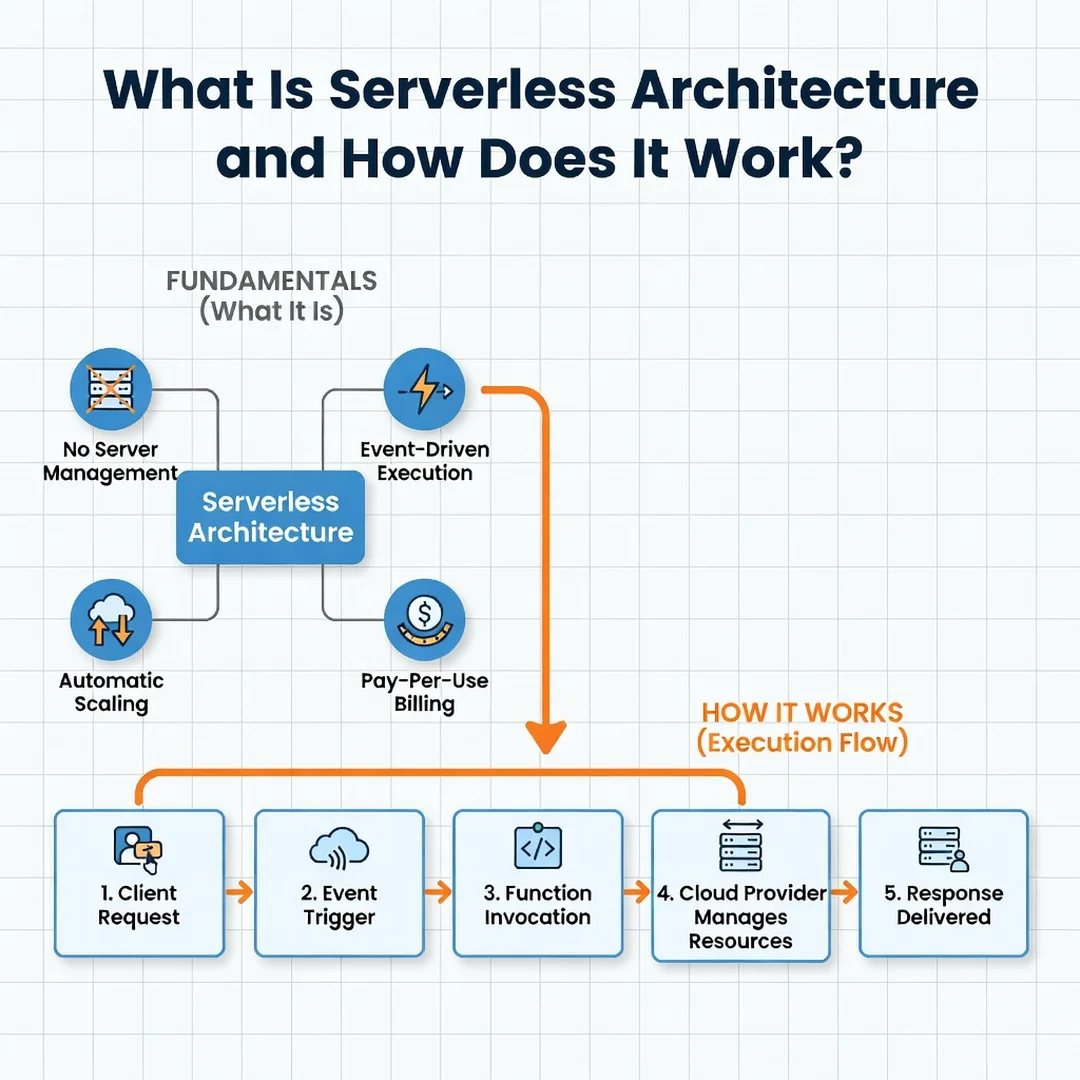
Step 1: Understand the fundamentals
Before writing any code, read the official documentation for your chosen provider. Understand the pricing model, execution limits, and supported runtimes. Create a free-tier account and deploy a “Hello World” function through the web console. This hands-on experiment will demystify the deployment process and show you what a cold start feels like.
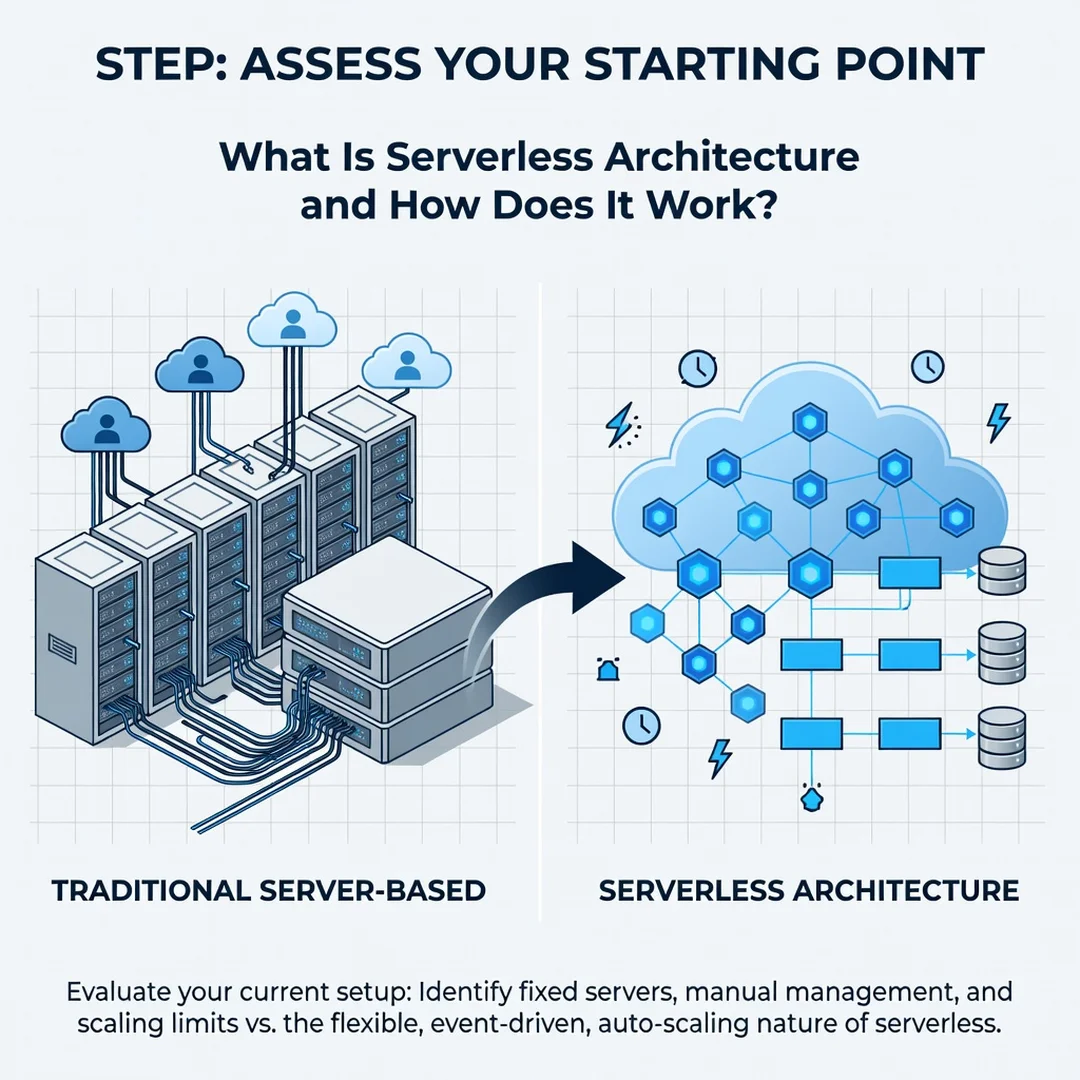
Step 2: Assess your starting point
Inventory your existing applications and identify candidates for serverless. Good candidates include scheduled tasks, image thumbnailing, webhook handlers, and simple APIs. Poor candidates include long-running batch jobs, stateful WebSocket servers, and workloads requiring specialized hardware. Check your team’s skills: if no one knows Python, Node.js, or Go, factor in learning time.
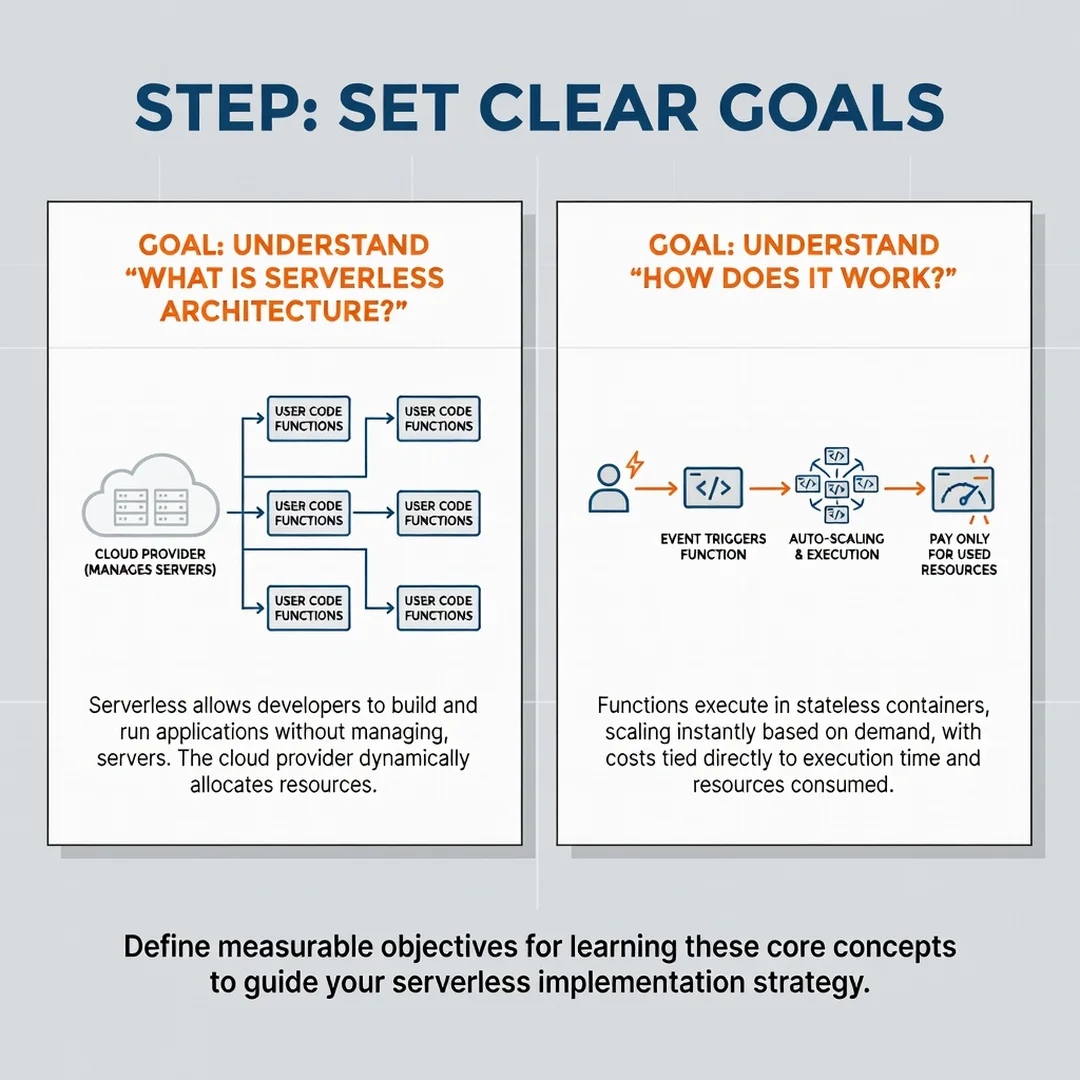
Step 3: Set clear goals
Define what success looks like. Are you trying to reduce operational overhead, lower costs for sporadic workloads, or accelerate feature delivery? Set measurable targets, such as reducing monthly server spend by 30 percent or deploying a new API endpoint in under one day. Clear goals will guide your architecture decisions and help you justify the investment to stakeholders.
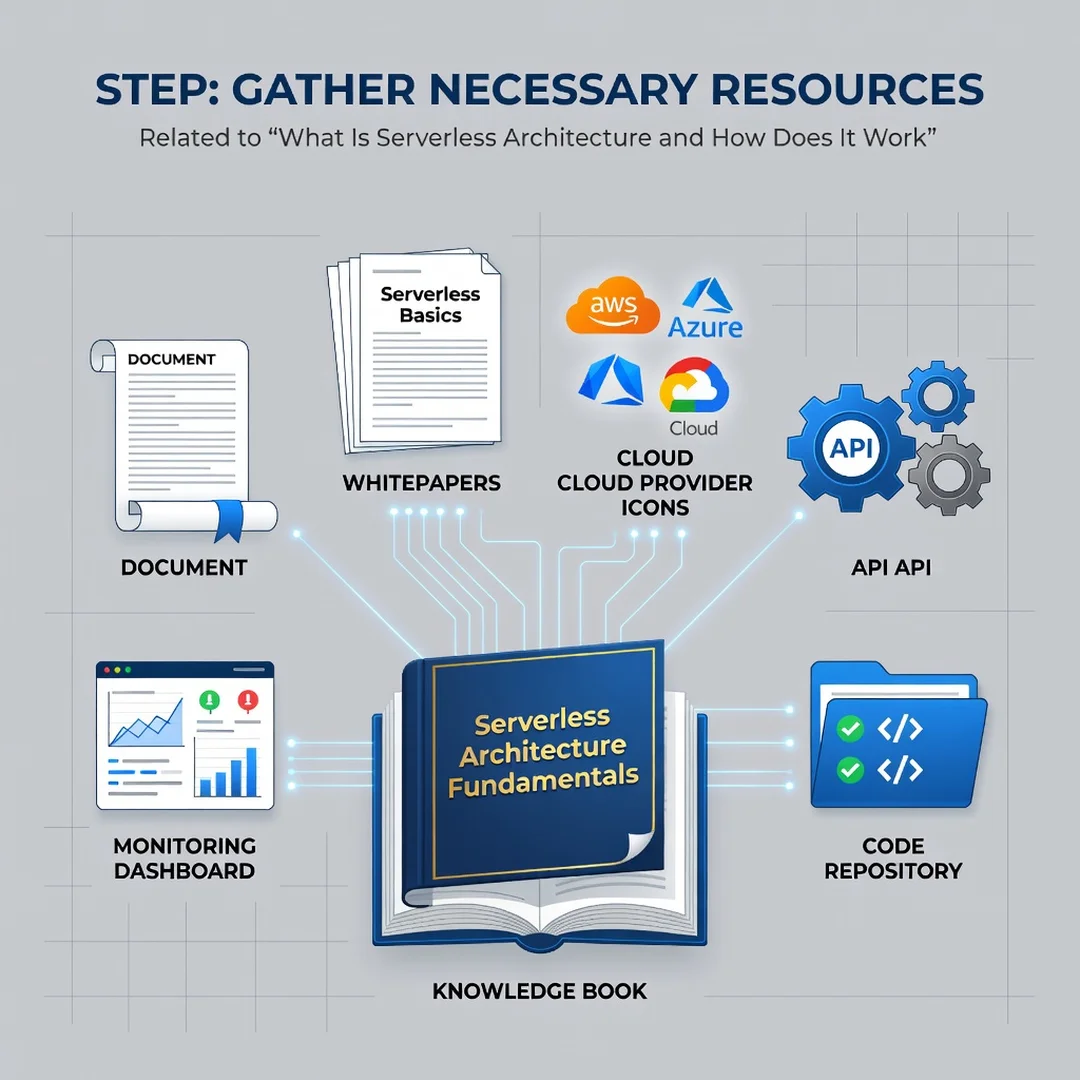
Step 4: Gather necessary resources
You will need a cloud account, a code editor, a version control repository, and a deployment tool. Install the provider’s CLI and, if applicable, a framework like Serverless Framework or AWS SAM. Verify that your local development environment matches the target runtime. Always verify software compatibility with your hardware architecture (ARM64 vs x86) if you are compiling native dependencies. Keeping your operating system updated before installation prevents dependency conflicts, so run your package manager updates first.
Step 5: Apply the core methods
Write your first production function. Start with a simple HTTP endpoint that reads from a managed database and returns JSON. Configure environment variables for secrets, set up a CI/CD pipeline that deploys on merge to main, and add logging and tracing. Then iterate: add a second function triggered by a queue, connect it to the first, and observe how the system scales. Document your architecture and share it with your team. Over time, you will build a library of patterns for authentication, error handling, and data access that accelerates future work.
FAQ
How long does it take to complete What Is Serverless Architecture and How Does It Work?
Reading this guide takes about 15 to 20 minutes. However, completing the hands-on steps — from creating an account to deploying a working function — typically takes two to four hours for a beginner. If you.
You now have a complete workflow for What Is Serverless Architecture and How Does It Work. Keep your system updated, monitor resource usage, and revisit this guide when software versions change.
Next steps: harden your server firewall, set up automated backups, and explore related tutorials linked above.